
LinkedIn Sales Navigator alternative: buyers found and written to, not just listed
Sales Navigator is a search and list building tool: over 50 filters across more than a billion members, alerts on job changes, and 50 InMail credits a month to message people outside your network. It does not draft your invite, write your follow up, or send anything for you, and neither page fetched today says otherwise. EaseClaw is the other half of that job: an AI agent that finds warm buyers from buying signals, writes the invite and the first message in your voice, and runs the outreach inside the campaigns and limits you set.
I have not run Sales Navigator myself. Its facts here come from LinkedIn’s own product page, its compare-plans page, and its InMail credits help article, read on 2026-09-26.
Search the whole LinkedIn membership yourself, save the people who fit, and message some of them, by hand, with a monthly InMail allowance.
Your agent finds the warm buyers from what they just did, writes to them in your voice, and tracks the meeting at the end. Review every message, or let it run.
If your job is building a list from LinkedIn’s own search, reaching people outside your network with InMail, or finding a warm path through a colleague’s connections, keep Sales Navigator. EaseClaw has none of that, and it is not trying to.
If you already have the seat and the list still is not turning into meetings, the gap is not the search. It is everything after the search: deciding who is actually worth an invite, writing to them, and following up. That is the part EaseClaw does. Plenty of teams keep both: Sales Navigator for the search and the InMail reach, EaseClaw for turning a signal into a written, sent message. If you want a wider field of LinkedIn tools first, the 2026 LinkedIn automation tools roundup ranks ten of them with prices read the same week. And if you already pay for Sales Navigator seats, the Sales Navigator cost calculator turns your seat count and your quoted price into a cost per booked meeting, with no signup.
EaseClaw and Sales Navigator, row by row
Every Sales Navigator cell is drawn from LinkedIn’s own product page, compare-plans page, or InMail help article, read on 2026-09-26.
| Sales Navigator | EaseClaw | |
|---|---|---|
| What the product is built to do | Its own page calls it "LinkedIn's B2B sales tool tailored for individual sellers and sales teams", built to find the right buyers and grow your pipeline. It is a search and list building tool, plus a credit allowance for messaging outside your network. | A sourcing and outreach agent. It builds a picture of who should buy from you, finds those people from buying signals, and writes to them. |
| How you find the people | You search for them. The page advertises "Search with 50+ filters" and the ability to "Rapidly sift through 1+ billion members", plus saved searches and alerts on job changes and content engagement. | The agent finds them from signals: engagement on a competitor's posts, a job change, a request for a recommendation, a company hiring for the problem you solve. |
| Who decides a person is worth writing to | You do, filter by filter, reading the alerts and the search results it surfaces and judging each name yourself. | The agent works out who fits the profile it built from your own website, before a name ever reaches you for review. |
| Who writes the invite or the message | You do. Its pages describe search, alerts and messaging credits, and nothing on either page fetched today describes drafting a message on your behalf. | The agent drafts the invite and the first message in your voice, from the signal that surfaced the person. |
| Messaging someone outside your network | InMail credits: 50 a month on every tier. Its help article states unused credits "will transfer to the following month" up to a total of 150, and "must be used within 90 days." Each message is written and sent one at a time, inside LinkedIn's own interface. | No InMail. The agent sends a connection invite, waits for the accept, then sends the first message, inside the campaigns and limits you set. |
| CRM sync and a developer surface | Advanced and Advanced Plus sync to Salesforce, HubSpot, Microsoft Dynamics 365 and Oracle Sales. Core has neither CRM sync nor team billing, per the compare-plans table. | Native pushes to HubSpot, Pipedrive and the rest from the Connections page, plus an MCP server, a REST API and a CLI. The machine surface reads and drafts; it never sends. |
| Sales Navigator pricing for one seat | Core is "US$119.99/month", or "US$1,079.88/year" billed yearly. Advanced is "US$159.99/month", or "US$1,799.88/year" billed yearly. Advanced Plus has no public price. | Pro is $99 a month, Business is $199 a month, one LinkedIn account per person, with no seat count to manage. |
| The free trial | Gated to members who have not used a LinkedIn free trial in the past 365 days. A card is required to start it, and LinkedIn emails a reminder seven days before it expires. Neither page fetched today states the trial's length in days. | Free for 7 days on either plan, no card required. The card wall appears on day 7, when you pick a plan to keep going. |
Sales Navigator pricing, compared with EaseClaw
Sales Navigator is billed per seat, with three named tiers. Core and Advanced publish a monthly and an annual number; Advanced Plus does not publish one at all, and its compare-plans page says only that it is “customized based on your sales team’s size.” The InMail credit allowance is the same 50 a month on every tier, so the higher tiers are buying team features and CRM sync, not more reach.
| Sales Navigator plan | Price | What it buys | Billing | Read on |
|---|---|---|---|---|
| Core | $119.99 | per month, one seat | monthly | 2026-09-26 |
| Core, paid yearly | $1,079.88 | per year, one seat, a 25 percent saving over monthly | annual, billed yearly | 2026-09-26 |
| Advanced | $159.99 | per month, one seat | monthly | 2026-09-26 |
| Advanced, paid yearly | $1,799.88 | per year, one seat, a 6 percent saving over monthly | annual, billed yearly | 2026-09-26 |
| Advanced Plus | Not published | priced per sales team's size, on a call with LinkedIn | contact sales | 2026-09-26 |
Read from business.linkedin.com/sales-solutions/compare-plans on 2026-09-26, and the date in each row links to the page that figure came off. LinkedIn also states that starting a free trial requires a card, that the trial is closed to anyone who has used one in the past 365 days, and that it sends a reminder email seven days before the trial ends. What it does not state on either page fetched today is the trial’s length in days.
EaseClaw prices the agent, not the seat: Pro at $99 per month, one LinkedIn account, Business at $199 per month, one LinkedIn account. Free for the first 7 days on either plan, and it asks for no card. Read from easeclaw.com/pricing on 2026-09-26.
Where Sales Navigator is better than EaseClaw
Four things it does that we do not, checked against LinkedIn’s own pages on 2026-09-26. If two of them describe your week, keep the seat.
Its own page advertises search with "50+ filters" and the ability to "Rapidly sift through 1+ billion members," plus saved searches and three kinds of alert covering job changes, content engagement and shared team activity. EaseClaw offers nothing like that open-ended search. It finds the people who match the profile it built from your website, but it will not let you go build an arbitrary list of your own choosing.
Every tier gets 50 InMail credits a month, and LinkedIn's own help article states unused credits carry over up to a total of 150 and expire after 90 days. That is a real channel for reaching someone outside your network entirely. EaseClaw has no InMail step: the only channel it uses on LinkedIn is a connection invite, so a prospect who will not accept an invite is one it cannot reach there at all.
TeamLink ships on every tier and is built to reveal a path into an account through a colleague's first degree connections, unlocking a warm referral a cold search would never surface. EaseClaw has no equivalent: it works from your own network and from public signals around a person, never from a teammate's connections, because it connects one LinkedIn account per person with no shared network to draw on.
Advanced and Advanced Plus add team management, shared billing, and CRM sync to Salesforce, Microsoft Dynamics and Oracle Sales, and Advanced Plus adds a dedicated account team. EaseClaw connects one LinkedIn account per person with no rotation and no agency dashboard, so a floor with several reps sharing quota and lead lists is a job Sales Navigator's team tiers are built for and EaseClaw is not.
Where EaseClaw picks up the job Sales Navigator hands back to you
Sales Navigator stops at the search result. Its own page lists search filters, saved leads, alerts and InMail credits, and neither page fetched today describes drafting a message or sending one on a schedule. Every invite, every InMail and every follow up is something you write and send yourself, one name at a time, inside LinkedIn’s own interface. For a founder without a research team, that is the part of the week that keeps not happening.
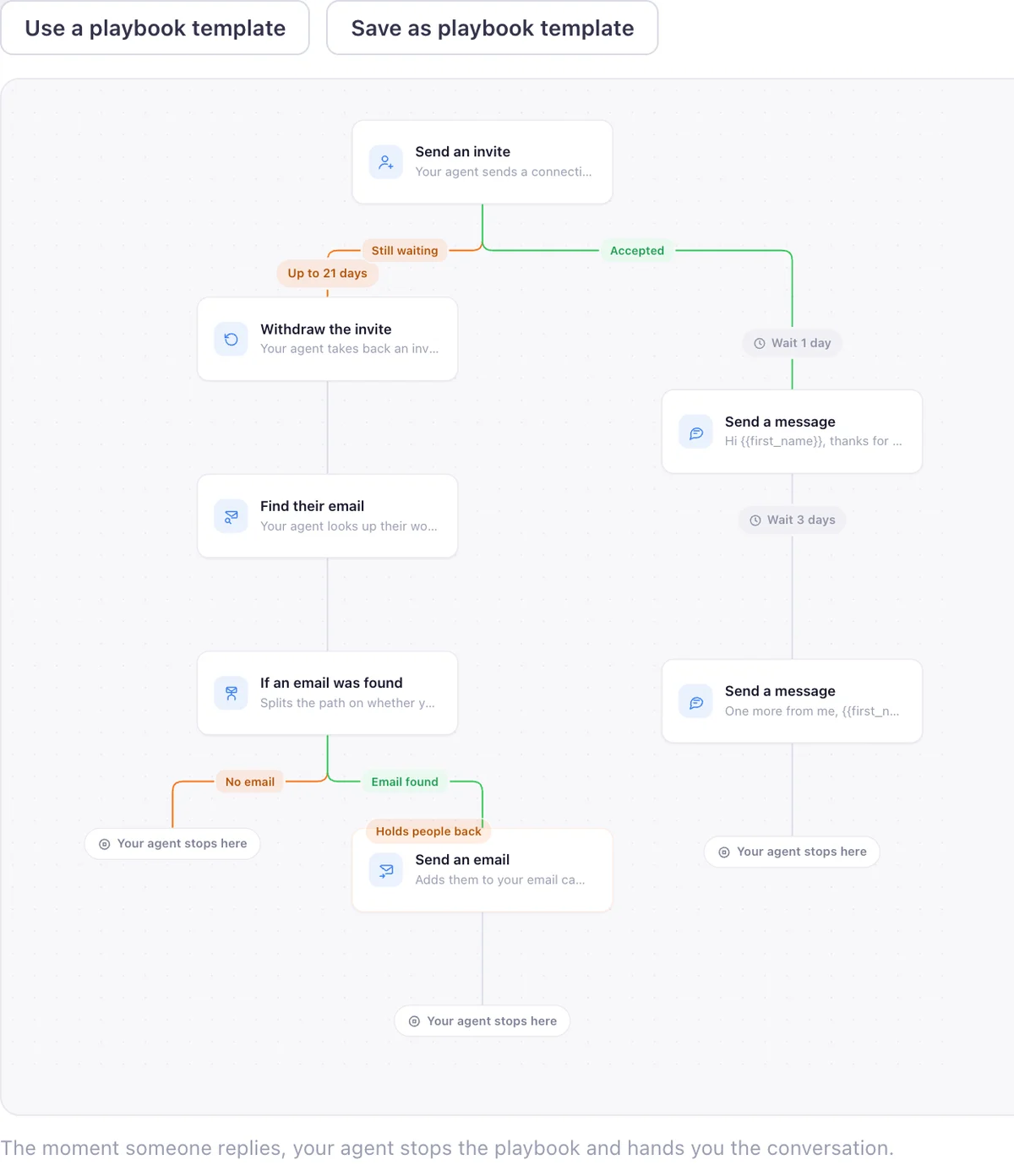
EaseClaw starts from your website instead of a filter panel. Paste it, and the agent learns what you sell and who should buy it, then finds warm buyers from public buying signals: people engaging with a competitor’s posts and pages, people who just changed jobs, people asking for recommendations, companies hiring for the problem you solve, people commenting on your own posts. It writes the invite in your voice, waits for the accept, sends the first message, and follows up. Replies land in one inbox and meetings are the number it tracks.
You choose how much of that you watch over. Copilot puts a batch of messages in front of you before anything goes out. Autopilot approves and sends inside the campaign you set up. The whole method, without the software, is written up in the Warm Lead System.
What we measured pulling people from public signals
Sales Navigator sells you the search. These are our own numbers from finding people the other way, from our own harvests, not an industry benchmark.
Pulling those 1,434 profiles cost us $3.37, about a quarter of a cent a person, across harvests run between 6 and 10 August 2026. The number worth sitting with is the 17 percent: roughly one in six people who had engaged with a competitor’s posts turned out to be another vendor selling a competing tool, and every one of them would have been an invite wasted. A search panel with 50 filters will not catch that on its own; it takes a pass over each name before an invite goes out, which is the job the search hands back to you and the agent does instead.
- Creator and competitor posts we pulled engagers from: 44 posts across 14 creators. Source: EaseClaw harvest ledger, marketing/harvests/engager-ledger.json, as of 2026-09-08.
- Unique people who engaged with those posts: 1,672. Source: EaseClaw harvest ledger, marketing/harvests/engager-ledger.json, as of 2026-09-08.
- Engagers who turned out to be vendors selling a rival tool: 286 of 1,672, or 17 percent. Source: EaseClaw harvest ledger, people marked vendor and excluded, as of 2026-09-08.
- What it cost us to pull 1,434 engager profiles: $3.37, about a quarter of a cent a person. Source: EaseClaw harvest ledger counters, 2026-08-06 to 2026-08-10, as of 2026-08-10.
- Posts read before 125 genuine buyers came out of them: 34,116 read, 5,789 scored, 125 buyers. Source: easeclaw.com/research/buying-intent-2026, as of 2026-08-04.
The wider study behind these harvests, including how few posts turn out to carry real buying intent, is published at buying-intent conversations: the 2026 data.
Which one is actually right for you
- Building the list, not the search itself, is the part that keeps not happening.
- You want the invite and the follow up written in your voice, not typed by hand.
- You want a meeting counted at the end, not a search saved.
- You run one LinkedIn account and it is your own.
- You want your coding agent to read your leads over MCP.
- You need to build your own arbitrary list from 50 plus search filters.
- InMail credits to reach people outside your network matter to you.
- TeamLink’s warm paths through colleagues are part of how you prospect.
- Your team needs shared billing, CRM sync, or a dedicated account team.
- You already trust the list it helps you build and just want it worked.
For any of those, Sales Navigator is doing a job EaseClaw was never built to do, and plenty of teams reasonably keep both.
Questions people ask before switching
Is there a free alternative to Sales Navigator?
Is Sales Navigator worth it for a founder?
Can I use EaseClaw without Sales Navigator?
Do I still need Sales Navigator if I use EaseClaw?
How much does Sales Navigator cost compared with EaseClaw?
What is the cheapest LinkedIn Sales Navigator alternative for one person?
Does Sales Navigator send connection requests or messages for you?
What EaseClaw looks like
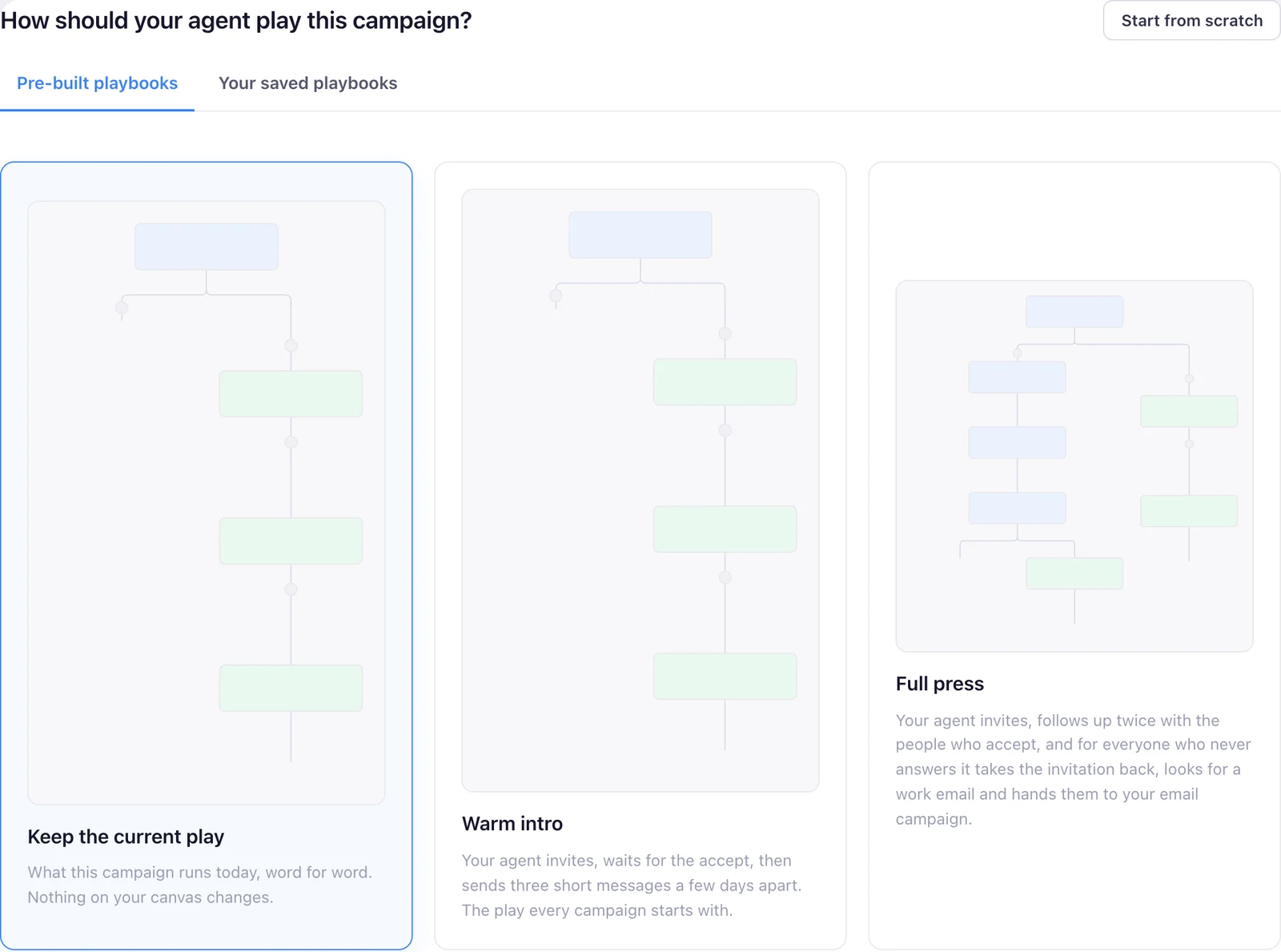
Our product, so you can see what the agent actually runs. Screens from the real app with demo data, and one illustration, labelled as such.
Stop searching. Start meeting buyers.
Paste your website. Your agent works out who should buy, finds those people on LinkedIn, and writes to them in your voice.
7 days free, no card required, then pick a plan.