
LinkedIn prospecting: a practical playbook for finding real buyers
LinkedIn prospecting is the work of finding people on LinkedIn who are likely to buy what you sell, qualifying them, and reaching out to the ones worth your time. This guide walks through it in the order that actually works: define who you are looking for, find candidates through search and through signals, qualify them, sequence the outreach, and measure what is actually converting.
Why does defining your ICP come before any search?
An ideal customer profile is a plain description of who actually buys from you: the titles, the company size, the industry, and the specific problem that makes them reach for what you sell. Skipping this step and going straight to a search bar is the most common way prospecting turns into a long list of the wrong people. Every filter, every signal and every qualification check later on this page only works because there is a definition to check candidates against.
Write it down before you search anything, even in three or four short sentences. If you would rather not start from a blank page, the free ICP generator turns a description of your product into a working profile you can refine, and the free B2B prospecting tool helps translate that profile into search terms and the kind of company worth watching for hiring activity.
Where do you actually find prospects on LinkedIn?
Four sources cover most of real LinkedIn prospecting, and they are not interchangeable: two are searches you run, two are signals that arrive on their own.
Free search covers your first-degree network and public results, and gets sharper once you combine terms with boolean operators or use an X-ray search through a general search engine to reach profiles a plain LinkedIn search misses. The free LinkedIn boolean search builder and LinkedIn X-ray search builder turn your ICP into the actual query string for each.
LinkedIn’s own paid search tool adds more than 50 filters, saved searches and alerts on job changes and content engagement, plus a monthly InMail allowance to message people outside your network. Our own LinkedIn Sales Navigator comparison goes through what it is genuinely better at, and what it still leaves you to do by hand.
Someone who comments on or reacts to a competitor’s content is already thinking about the category you both sell into. This is one of the strongest signals worth acting on, and our buyer intent signals guide covers all five LinkedIn signals worth building a habit around, this one included.
Someone new in a role that owns your problem is worth writing to inside days, before old habits settle in. A company posting a job listing for that same problem is a public budget line and a mandate, often before the hire is even made.
How do you qualify a LinkedIn prospect before reaching out?
Check three things before a name earns a message. Does their title and company genuinely match the ICP you wrote down first, not just a keyword overlap. Is the signal that surfaced them still recent, since a job change or a hiring post loses most of its value within weeks. And are they actually a buyer rather than a vendor selling into the same room: our own numbers on a batch of public engagers found that roughly 17% of them turned out to be a rival vendor rather than a real prospect, and every one of those should be excluded before anyone drafts a message to them.
A high-looking match on the wrong person is still the wrong person, and it is far cheaper to filter someone out at this stage than after they reply confused about why you reached out at all.
How should you sequence the outreach itself?
Treat warm and cold candidates differently rather than sending the same note to both. Reach out inside a few days of a signal while it is still fresh, and spend LinkedIn’s scarce personalized notes, three a month at up to 200 characters each per its own help pages, only on your warmest triggers: a comment on your post, a job change, or a request for a recommendation. Save the real personalization for the first message after someone accepts, where there is no character limit at all.
The full set of templates for the connection request, the first message and the follow up, split by exactly the trigger types above, is in the LinkedIn cold outreach guide, including LinkedIn’s own limits on invitations and what trips a sending restriction, read directly from its help pages.
What should you actually measure?
Track acceptance rate and reply rate separately, and split both by how the prospect was found, search versus a specific signal type, rather than reporting one blended number for everything you send. A cold search list and a warm signal-driven list convert at genuinely different rates, and averaging them together is the most common way a working channel gets judged as broken.
Revisit the split monthly. If one signal type consistently outperforms search, spend more of your week finding people that way. If a source has not converted after a real sample size, stop feeding it into your sequence rather than assuming the message needs another rewrite.
What does the data say about warm versus cold prospecting?
Three numbers worth knowing. The first is a third party measurement of the warm versus cold gap; the other two are EaseClaw’s own, from its own outreach.
Read together, these numbers explain why the order in this guide matters: a genuine buyer is rare inside any batch of public activity, and warm outreach genuinely outperforms cold. Building the qualification step in before you sequence anything is what turns a long list into a working channel.
What tools can actually help with each step?
Eight tools split into four jobs: searching LinkedIn itself, filling in contact data, sequencing a list you already built, and finding prospects from signals rather than a list at all. Pricing is read from each vendor’s own page, with the date beside every figure.
| Tool | Best for | Key capability | Price | Free tier or trial |
|---|---|---|---|---|
| LinkedIn Sales Navigator | Anyone who wants to search LinkedIn itself, save the results, and message a short list of names directly, including people outside their network. | Search across LinkedIn's own membership with more than 50 filters, something no other tool on this page can do. | $119.99 a month for Core, $159.99 a month for Advanced, Advanced Plus has no public price | No free tier. A free trial is gated to members who have not used one in the past 365 days and takes a card to start. |
| Apollo | A team that wants a searchable contact database and a sequencing tool in one place, at the lowest entry price of the three data tools here. | A genuine free tier plus a credit system that covers search, contact reveal and sequencing in one subscription. | Free at $0 (900 credits a year), Essentials $49 a seat a month billed annually, Professional $79 a seat a month billed annually, Enterprise $119 a seat a month (minimum 3 seats) billed annually | Yes, a real free tier with 900 credits a year, not a time-limited trial. |
| Lusha | Filling in contact details for a list you already built somewhere else, rather than building the list itself. | A published, per-credit cost for exactly what an email reveal or a phone reveal costs, rather than a bundled seat price. | Free at 40 credits a month, Starter $49.90 a month for 400 credits, Professional $69.90 a month for 600 credits, Premium $399.90 a month for 3,400 credits | Yes, 40 credits a month at no cost. |
| Clay | A technical operator who wants to wire LinkedIn search results together with several other data sources rather than buy one fixed tool. | Combines several separate data sources into one table you design yourself, rather than one fixed search. | Free at $0 (500 actions and 100 data credits a month), Launch from $167 a month billed annually, Growth from $446 a month billed annually | Yes, a genuine free tier with a monthly credit allowance. |
| Waalaxy | Someone who has already found the people worth writing to and wants the cheapest real way to send a sequence to them. | A genuinely free tier that never expires, so you can try sequencing a small list before paying anything. | EUR 19 a user a month for Pro (300 LinkedIn invitations, 25 email finder credits), EUR 49 a month for Advanced, EUR 69 a month for Business | Yes, a capped free tier with no time limit. |
| Dripify | An individual or small team who wants one straightforward sequence tool covering LinkedIn and email. | A built-in, metered email finder alongside the LinkedIn sequencing steps. | $59 a user a month for Basic, $39 a month on the annual plan | No free tier. Seven days, no card required to start. |
| HeyReach | A team or agency running sequences from several LinkedIn accounts at once. | Rotates sending across every account you connect, at no extra charge for a teammate using them. | $79 per LinkedIn sender a month | No free tier. A trial is offered on request. |
| EaseClaw our product | Founders and small B2B teams doing their own selling, who want the work of deciding who to write to taken off them. | Works out who is worth writing to from your own website, then writes and runs the outreach to them. | Pro $99 a month, Business $199 a month. | Free for 7 days, no card required. Pick a plan after that to keep going, cancel anytime. |
Search inside LinkedIn itself
You search, save and get alerted, directly on LinkedIn's own membership.
LinkedIn's own search and list-building tool: filter across more than a billion members, save searches, and get alerts on job changes and content engagement, plus a monthly InMail allowance to message outside your network.
Contact data and enrichment
You have a name. These fill in a work email, a phone number, or a wider table of data around it.
A contact database and sequencing platform: search by title, industry and buying-intent topic, pull verified emails and phone numbers on credits, then run email and LinkedIn touch sequences from the same tool.
A contact database sold on a credit system: reveal a work email for one credit or a phone number for five, mostly used to fill in details for a name you already found through search or a list.
A workflow builder that pulls data from dozens of connected sources, including LinkedIn search results, into one spreadsheet-like table, then can trigger a sequencing step from any row.
Sequencing what you found
You have a list. These send the connection requests and the messages against it, on a schedule.
A browser extension that runs LinkedIn invite and message sequences against a list you already built, with cold email sequences added on its higher tier.
A per-seat cloud sequencer with connection requests, messages, profile actions and an email step in one flow, plus a metered email finder built in.
Cloud sending built around rotating several connected LinkedIn accounts into one shared inbox and one bill, aimed at a team or an agency.
Finding prospects from signals, not lists
There is no list to build first. The people arrive from what they just did.
Finds warm buyers on LinkedIn from what they just did, writes the invite and the follow up in your voice, and runs the outreach inside the campaigns and limits you set. Review every message, or let it run.
| Tool | Plan | Price | What it buys | Billing | Read on |
|---|---|---|---|---|---|
| LinkedIn Sales Navigator | Core | $119.99 | per month, one seat | monthly | 2026-09-26 |
| LinkedIn Sales Navigator | Advanced | $159.99 | per month, one seat | monthly | 2026-09-26 |
| Apollo | Free | $0 | per seat, 900 credits a year | free | 2026-09-26 |
| Apollo | Professional | $79 | per seat per month, billed annually | annual, billed yearly | 2026-09-26 |
| Lusha | Starter | $49.90 | per month, 400 credits | monthly | 2026-09-26 |
| Clay | Launch | $167 | per month, billed annually | annual, billed yearly | 2026-09-26 |
| Waalaxy | Pro | EUR 19 | per user per month, 300 LinkedIn invitations | monthly | 2026-09-26 |
| Dripify | Basic | $59 | per user per month | monthly | 2026-09-15 |
| HeyReach | Growth | $79 | per LinkedIn sender per month | monthly | 2026-09-15 |
| EaseClaw | Pro | $99 | per month, one LinkedIn account per person | monthly | 2026-09-26 |
| EaseClaw | Business | $199 | per month, one LinkedIn account per person | monthly | 2026-09-26 |
Where does EaseClaw fit into this?
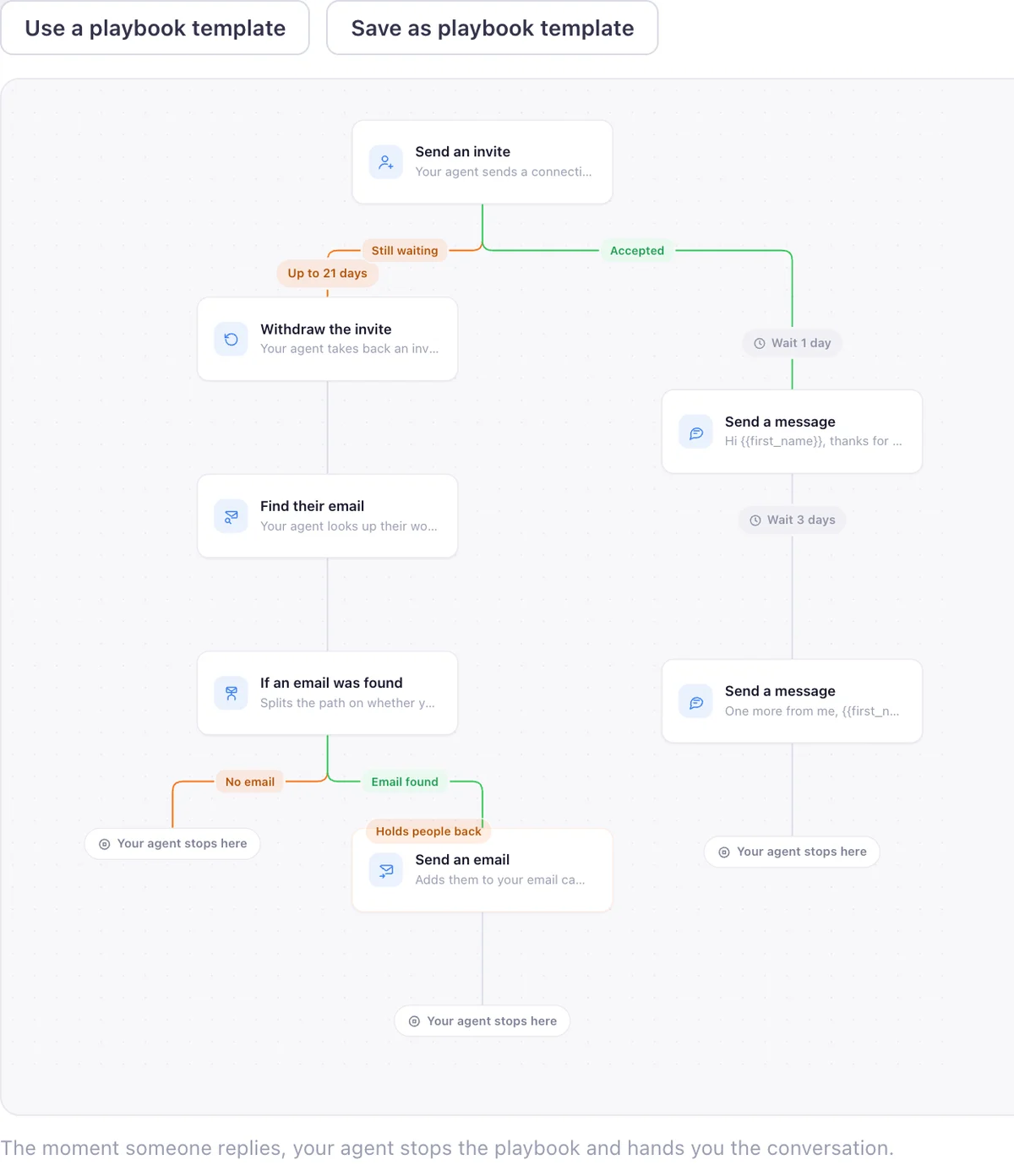
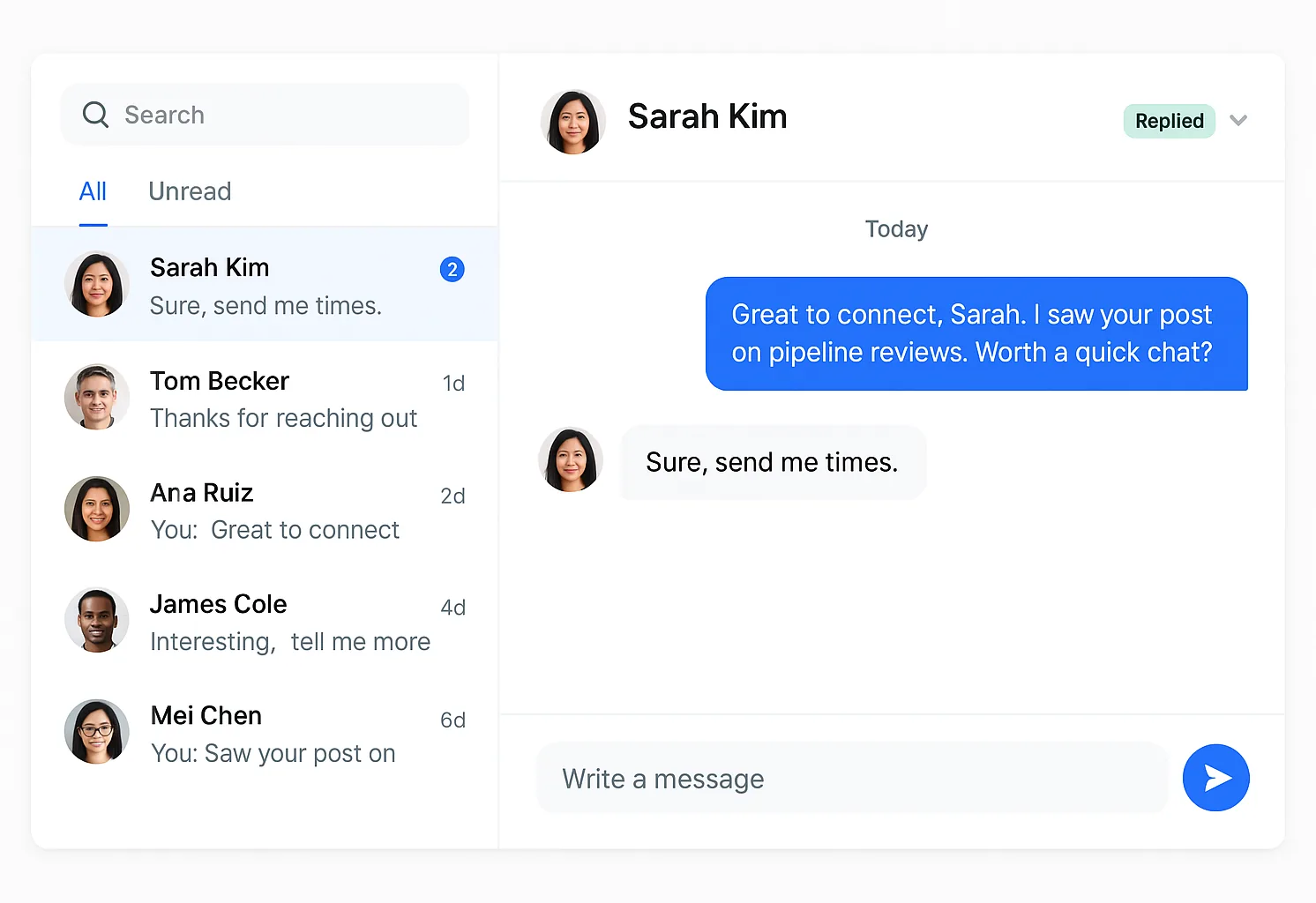
I am Pritesh Mann, the founder of EaseClaw, and it leads the fourth lane above, the only lane it appears in. EaseClaw is the AI agent that finds warm buyers on LinkedIn and runs outreach for founder-led B2B companies, without building prospect lists by hand. Built for founders and small B2B sales teams selling high-value products or services, especially when there is no dedicated SDR. Instead of you running the search in step one and the qualification check in step three yourself, it builds the ICP from your own website and finds the people worth writing to from the signals in the second section of this guide: competitor engagement, a job change, a request for a recommendation, a company hiring for the problem you solve. It writes the invite and the first message per person in your voice, waits for the accept, then sends the follow up. Review every message, or let it run.
It is the right purchase when the part of this playbook you would rather not do by hand every week is steps one through three: defining who counts, finding them, and checking they are real. If you already have a qualified list and want to run the sequence yourself, one of the other seven tools on this page is the better fit for that specific job.
Questions
What is LinkedIn prospecting?
How do I find leads on LinkedIn?
How do I generate leads on LinkedIn without buying a list?
What is a good LinkedIn outreach strategy?
Should I use LinkedIn's own search or pay for Sales Navigator?
How do I qualify a LinkedIn prospect before reaching out?
How do I measure whether my LinkedIn prospecting is working?
What EaseClaw looks like
Our product, so you can see what the agent actually runs. Screens from the real app with demo data, and one illustration, labelled as such.
What if steps one through three arrived already done?
Paste your website. Your agent works out who is worth an invite from what they just did on LinkedIn, writes the note and the follow up in your voice, and runs it inside the limits you set. Seven days free, no card, then pick a plan to keep going.