
Buyer intent signals: what they are and how to act on them
A buyer intent signal is an action a person or a company takes that makes them more likely than average to be in the market for what you sell right now, from engaging with a competitor’s post to a company posting a job for the problem you solve. This guide covers the two kinds of signal, the five worth acting on for LinkedIn specifically, how to score one, and the tools that surface them.
What exactly is a buyer intent signal?
A buyer intent signal is an observable action that raises the odds a specific person, or the company they work for, is closer to buying than the average person in your target list. It is not a guess about their mood and it is not demographic data such as their job title alone. It is something that actually happened: a comment, a job change, a public question, a job posting. The signal on its own books nothing. Its whole value is that it tells you who to write to first and gives you a specific, true reason to open the message with.
Two things make a signal worth acting on: how directly it points at the problem you solve, and how recently it happened. A signal from three months ago has usually lost most of its value, because the priority or the role behind it can change inside a quarter. A signal from this week is worth acting on inside days, not after it has sat in a spreadsheet for a month.
What is the difference between first-party and third-party signals?
A first-party signal is something you can see directly, on a surface you already have access to: someone commented on your post, visited your site, or accepted your connection request. A third-party signal is pooled from other people’s data, usually content read across a publisher network you do not own, and sold back to you as a company that looks like it is researching your category.
The trade-off is real in both directions. First-party signals are rarer, since they depend on someone interacting with something you can see, but they name an actual person you can write to today. Third-party signals cover far more companies, since they are pooled across an entire network, but most of them name the company, not the person, which leaves the harder half of the job, finding the right individual, still ahead of you.
Which five LinkedIn signals are actually worth acting on?
These five cover most of the warm outreach worth doing on LinkedIn, and every one of them is visible without paying for third-party data.
Someone who comments on or reacts to a competitor’s content is already thinking about the category you both sell into, and is often open to hearing about an alternative.
New in a role usually means a fresh look at the tools and vendors already in place, and a short window where old habits have not hardened yet.
This is the most direct signal on the list: the person has told the room exactly what they are looking for, in their own words.
A job listing for a role built around your problem is a budget line and a mandate in one public post, often before the hire is even made.
Somebody paying attention to you specifically, rather than to the category in general, is the shortest path from signal to a reply.
How do you score a buyer intent signal?
Weigh directness against recency. A person asking by name for what you sell outranks someone who merely reacted to a post about the category, and a signal from this week outranks one from last quarter. Beyond that, the most useful scoring habit is the simplest one: track which signal types have actually turned into a reply for you, specifically, and work your list in that order rather than an order borrowed from someone else’s playbook.
One filter is worth applying before any of that: check who the person actually is. Our own numbers on a batch of public engagers found that roughly 17% of them were a rival vendor selling into the same room rather than a real buyer, and every one of those should be excluded before scoring anything else. A high score on the wrong person is still the wrong person.
How do you act on a signal without wasting it?
Speed and specificity matter more than a clever opening line. Reach out inside a few days of the signal, and name the actual thing you saw rather than a generic reason to connect. If the trigger is warm enough to justify one of LinkedIn’s scarce personalized notes, three a month at up to 200 characters each per its own help page, spend it here; the full playbook for writing that note and the message that follows is in the LinkedIn cold outreach guide, including nine templates split by exactly the kind of trigger above.
Do not let the signal sit. A job change or a hiring post is worth the most in the days right after it happens and worth very little a month later, once the new hire has already chosen a vendor or the new person in the role has already settled into old habits.
What does the data say about signal strength?
Three numbers worth knowing. The first two are third party measurements, cited with attribution; the third is ours, from our own outreach.
Read together, these numbers say a real buyer is genuinely rare inside any batch of public activity, which is exactly why a signal is worth more than a keyword. A keyword tells you a topic was mentioned. A signal tells you a specific person is worth the next few minutes of your week. For a fuller walkthrough of turning a batch of public signals into a list, see the warm lead system, and grade a draft message against a chosen trigger with the free outreach message grader.
What tools actually surface these signals?
Eight tools split into four jobs, from third-party account data to a feed you build yourself. Pricing is read from each vendor’s own site, and where nothing is published, this page says so rather than quoting a third-party estimate.
| Tool | Best for | Key capability | Price | Free tier or trial |
|---|---|---|---|---|
| Bombora | Account-based sales and marketing teams who want a third-party signal to prioritize the accounts they already target. | Company-level research signal pooled across a wide publisher network, sold as an account list. | Not published. Every plan starts with a sales conversation. | No free tier and no self-serve checkout. |
| 6sense | Larger revenue teams running full account-based programs with the budget for an annual platform contract. | A predictive score on top of the raw signal, plus credits to turn an account into named contacts. | Not published. Three tiers are named by feature set, not by price, on its own pricing page. | No free tier named on its pricing page. |
| Warmly | Teams who already get meaningful website traffic and want to know who is looking before they reach out. | First-party website visitor identification joined with third-party research signals in one feed. | $10,000 a year for the entry plan, rising to $30,000 a year for the plan that also runs outbound | No free tier on its current pricing page. Every tier is an annual commitment, with a quarterly billing option shown alongside it. |
| Clay | Technical operators who want to wire several signal sources together themselves rather than buy one fixed feed. | Combines many separate signal sources into one table you control, rather than one packaged feed. | Free for 500 actions and 100 data credits a month, from $167 a month on the next tier | Yes, a genuine free tier with a monthly credit allowance rather than a time-limited trial. |
| Brand24 | Marketing and communications teams who need a report on what is being said about a brand. | Breadth and sentiment reporting across a wide set of public platforms, built for a team rather than one seller. | $249 a month, or $199 a month paid for a year | A 14 day trial, no card required. |
| Octolens | Developer tool companies whose buyers gather in technical public communities. | Mention tracking tuned for a developer tool audience, with published mention allowances by tier. | $159 a month, billed annually | A seven day trial with the full feature set, capped at 5,000 mentions. |
| Mention | Small marketing teams who want tracking and their own posting from one vendor rather than two. | Tracking and your own social publishing from one subscription. | Not published in the page text as of 15 September 2026 | A free trial is offered; no terms were readable on the pricing page. |
| EaseClaw our product | Founders and small B2B teams doing their own selling, who want the work of deciding who to write to taken off them. | Works out who is worth writing to from your own website, then writes and runs the outreach to them. | Pro $99 a month, Business $199 a month. | Free for 7 days, no card required. Pick a plan after that to keep going, cancel anytime. |
Third-party intent data for account-based selling
Bought signal, pooled across many companies' research activity, sold as a list of accounts rather than named people.
A cooperative that pools content-consumption activity from a large network of publisher sites, then reports which companies are reading heavily about a chosen topic right now.
An account-based platform that layers its own predictive model on top of third-party research signals, then sells data credits to unlock the contact details behind an account it flags.
Website visitor and buying-signal alerts
You already get traffic. These identify who is behind it and add outside research signals on top.
Identifies the companies, and where possible the people, visiting your own website, then adds outside research signals and job-change alerts on top so a rep knows who showed up and why it might matter.
A workflow builder that pulls signals such as a job change or a hiring post from dozens of connected data sources into one spreadsheet-like table, then can trigger an outreach step from any row.
Public mention and brand tracking
A name or a phrase, read across a very wide set of public sources, for reporting rather than for one seller.
Reads posts, comments and reviews across a very wide list of public platforms for a chosen name or phrase, then scores the sentiment and reports share of voice for a team that has to present the results.
Tracks a keyword across developer-heavy public communities and reports mention volume for a technical audience, aimed squarely at developer tool companies.
Reads mentions of a chosen name across a very large set of public sources and adds social publishing and scheduling on top of the tracking.
Turning a signal into LinkedIn outreach
The signal is the easy half. Somebody still has to write to the person and follow up until they answer.
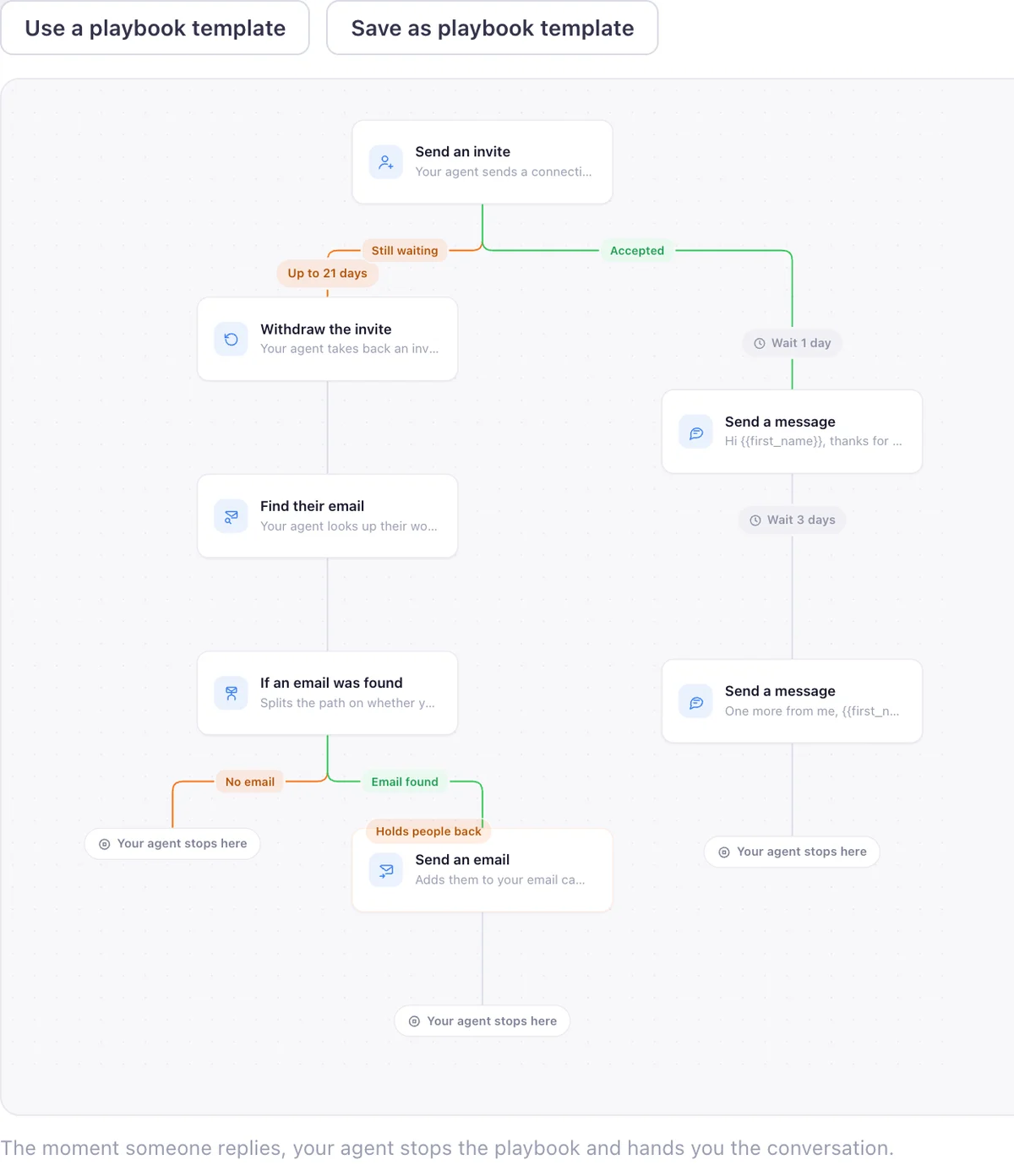
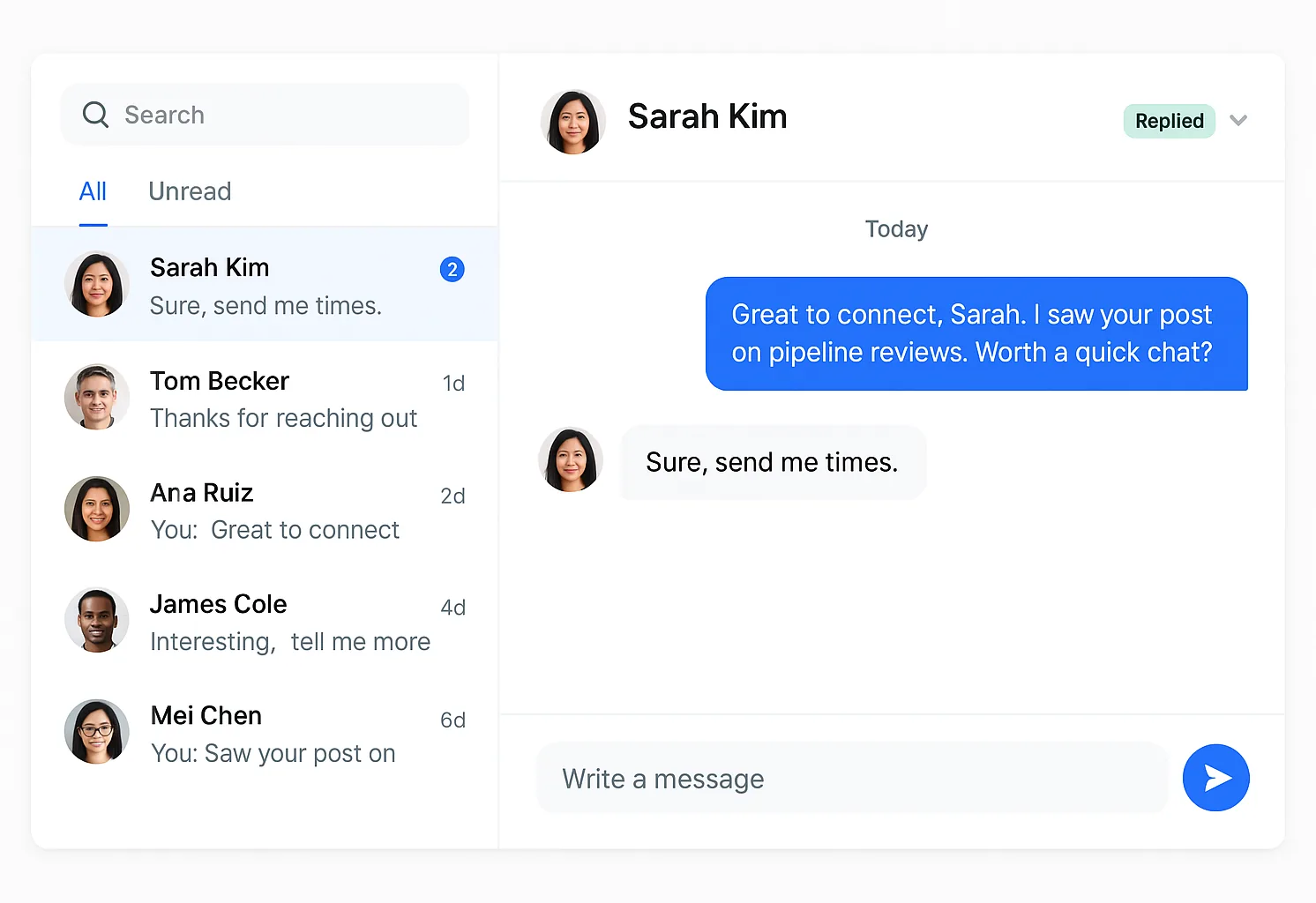
Finds warm buyers on LinkedIn from what they just did, writes the invite and the follow up in your voice, and runs the outreach inside the campaigns and limits you set. Review every message, or let it run.
| Tool | Plan | Price | What it buys | Billing | Read on |
|---|---|---|---|---|---|
| Warmly | AI Web De-anonymization | $10,000 | per year, the entry plan | annual, quarterly billing shown alongside it | 2026-09-26 |
| Warmly | AI Inbound Autopilot | $30,000 | per year, the plan that also runs outbound | annual, quarterly billing shown alongside it | 2026-09-26 |
| Clay | Free | $0 | per month, 500 actions and 100 data credits | free | 2026-09-26 |
| Clay | Launch | $167 | per month, billed annually | annual, billed yearly | 2026-09-26 |
| Clay | Growth | $446 | per month, billed annually | annual, billed yearly | 2026-09-26 |
| Brand24 | Individual | $249 | per month, or $199 a month paid for a year | monthly, annual shown beside it | 2026-09-15 |
| Octolens | Pro | $159 | per month, 15,000 mentions and 10 keywords | billed annually, as printed on the card | 2026-09-15 |
| EaseClaw | Pro | $99 | per month, one LinkedIn account per person | monthly | 2026-09-26 |
| EaseClaw | Business | $199 | per month, one LinkedIn account per person | monthly | 2026-09-26 |
What mistakes waste a warm signal?
Three show up again and again. The first is stopping at the list: a spreadsheet of accounts or names is not outreach, and a signal loses value with every day nobody acts on it. The second is skipping the check on who the person actually is, when a meaningful share of public engagers on any given post are vendors rather than buyers. The third is sending the same message regardless of which signal triggered it, which throws away the one real advantage a signal gives you over a cold list: a true, specific reason to open with.
A fourth is subtler and just as common: treating a third-party account signal as if it named a person. It named a company. Somebody still has to find the right individual at that company before any message can go out, and skipping that step is how a promising account list turns into a spray of generic messages to whoever happened to be easiest to find.
Where does EaseClaw fit into this?
I am Pritesh Mann, the founder of EaseClaw, and it leads the fourth lane in the table above. EaseClaw is the AI agent that finds warm buyers on LinkedIn and runs outreach for founder-led B2B companies, without building prospect lists by hand. Built for founders and small B2B sales teams selling high-value products or services, especially when there is no dedicated SDR. It builds an ideal customer profile from your own website, then acts on the first-party LinkedIn signals in this guide rather than selling third-party, company-level data of its own. It writes the invite and the first message per person in your voice, waits for the accept, then sends the follow up. Review every message, or let it run.
It is the right purchase when the signal you care about is a specific person doing a specific thing on LinkedIn, and the part of this guide you would rather not do by hand every day is spotting that person and writing to them. If what you actually need is account-level coverage across a whole market, one of the third-party platforms earlier on this page is a better fit, and EaseClaw does not compete with them.
Questions
What is a buyer intent signal, in one sentence?
What is the difference between first-party and third-party intent signals?
Which LinkedIn signals are actually worth acting on?
How do you score a buyer intent signal?
What mistakes do teams make with buyer intent signals?
Do third-party intent platforms replace first-party signals?
How does EaseClaw use buyer intent signals?
What EaseClaw looks like
Our product, so you can see what the agent actually runs. Screens from the real app with demo data, and one illustration, labelled as such.
What if the signals were already turned into a list?
Paste your website. Your agent finds the people showing the signals in this guide, writes the invite and the follow up in your voice, and runs it inside the limits you set. Seven days free, no card, then pick a plan to keep going.